
Download Spiderman Vista Icons – Spiderman icons, Spiderman Vista icons, Spiderman logo, Green Goblin, Otto Octavius, Mary Jane, desktop icons, icon pack, superhero icons, fan art, digital art, desktop theme, Windows icons, PNG icons, ICO icons, ICNS icons
Overview
The Spiderman Vista Icons app is a themed collection of digital icons designed for users who wish to personalize their Windows desktop environment with content from the Spiderman universe. Created by developer Eddie C. Reardon, this icon pack offers a curated selection of characters and symbols from the beloved superhero franchise. The primary purpose of the app is to enhance the visual identity of a user’s digital workspace through high-quality, fandom-inspired graphics. It serves as a utility tool for fans seeking to express their love for Spiderman, his allies, and adversaries in a digital format.
Target users include long-time Spiderman enthusiasts, digital artists, and individuals who value personalized computing experiences. The app is particularly useful for those who want to transform their desktop icons into a dynamic, themed environment without requiring advanced design skills. Real-world use cases include customizing personal computers, enhancing digital portfolios, or creating themed workspaces for fan events and online communities. While the app is not a standalone application with interactive features, it functions as a visual asset library that supports multiple uses across different platforms.
Despite its release date in 2008, the pack remains relevant as a nostalgic and accessible resource for fans. The developer did not provide additional technical details about the app’s development history or future updates. However, its continued presence in digital archives underscores its enduring appeal within niche communities interested in fan-made digital content.
Key Features & Functionality
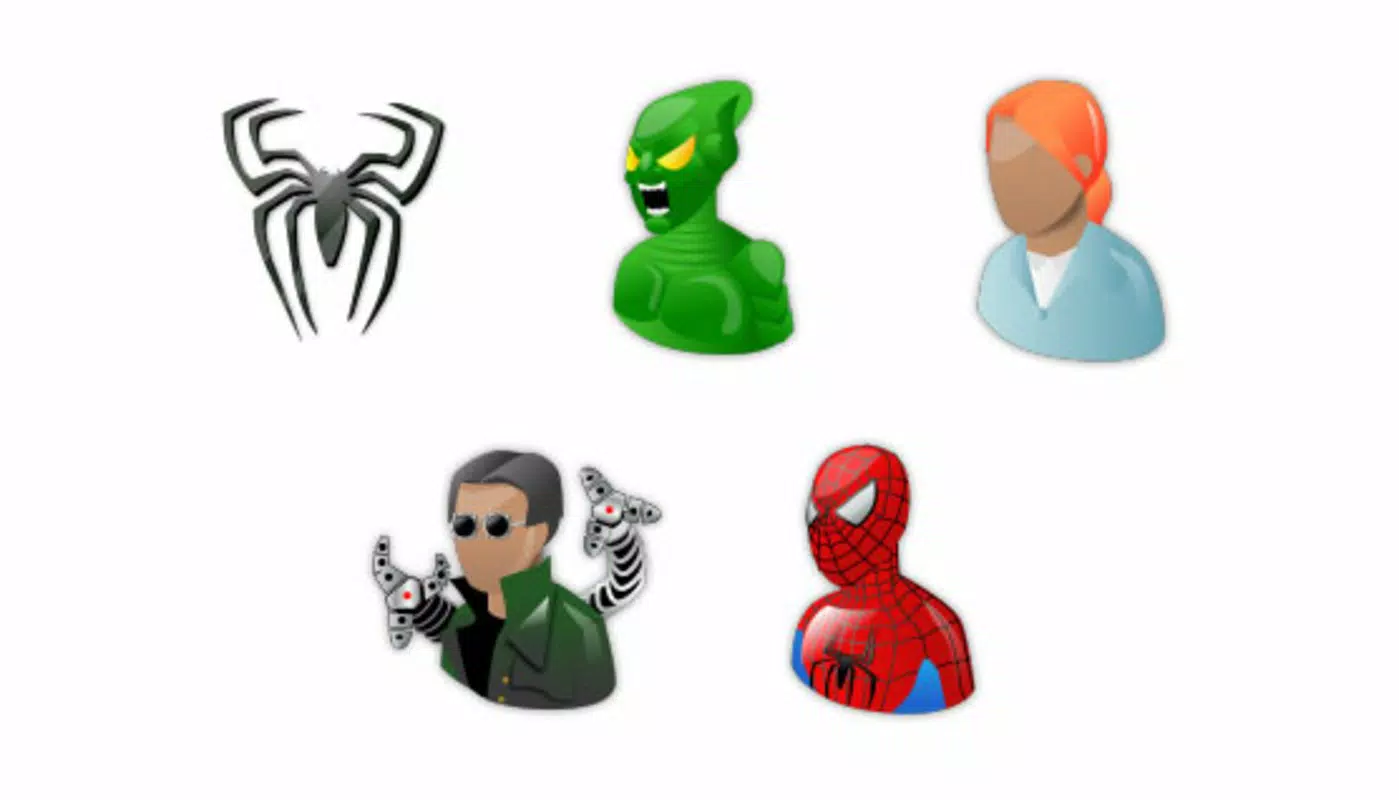
- Diverse Character Selection: The icon pack includes Spiderman, the Green Goblin, Otto Octavius, Mary Jane, and the iconic Spiderman logo. Each character is represented with distinct visual styles, allowing users to choose icons that reflect their favorite aspects of the franchise.
- Multiple File Formats: The pack supports PNG, ICO, and ICNS file formats. PNG files feature transparent backgrounds, ideal for modern desktops; ICO files are optimized for Windows; ICNS files ensure compatibility with macOS systems.
- High-Quality Graphics: All icons are rendered with attention to detail, maintaining clarity and sharpness at various sizes. This ensures usability across different screen resolutions and display types.
- Customizable for Various Uses: Icons can be used beyond desktops—such as avatars in messaging apps, profile pictures, or branding elements in digital projects—allowing for flexible personalization.
- Fun Spiderman Theme: The vibrant and playful design of the icons adds a lively aesthetic to any digital workspace, turning routine computing into a themed experience.
For example, a user might replace their default folder icons with Spiderman-themed versions to create a superhero-themed desktop. Another might use the Green Goblin icon as their email avatar to reflect a favorite villain. These practical applications demonstrate how the pack enhances both functionality and personal expression.
Interface, UX & Performance
The Spiderman Vista Icons pack does not include a user interface or interactive elements, as it is a static collection of digital assets. Instead, users access the icons directly through file management systems. The visual style is consistent with early 2000s icon design, featuring bold outlines, vibrant colors, and clear silhouettes that remain legible at small sizes.
Navigating the pack is straightforward: users extract the files from the archive and apply them via standard operating system settings. The process is intuitive and requires no technical expertise. Although the developer did not list formal performance metrics, the lightweight nature of the 1.4 MB file size suggests minimal system impact during installation and use.
Responsiveness and stability are not concerns for this type of asset pack, as it does not run in the background or consume processing power. However, compatibility may vary depending on the user’s operating system version and desktop customization tools. The developer did not specify minimum OS requirements or performance expectations.
Platform Compatibility & Technical Requirements
Spiderman Vista Icons is designed for the Windows platform and was released in 2008. The file size is 1.4 MB, making it a lightweight download suitable for older or low-resource systems. The app is available at no cost, with a free pricing model.
The developer did not specify minimum OS requirements or compatibility details beyond the platform. Users are advised to verify that their system supports the included file formats—particularly ICO and ICNS—before use. While the pack was originally intended for Windows, the inclusion of ICNS files suggests it may also be usable on macOS systems, though this is not confirmed.
Compatibility information was not fully disclosed, and no updates have been released since the original 2008 launch. As such, users should test the icons on their specific devices to ensure proper display and functionality.
Pros and Cons
- Free to download and use
- Includes a wide range of Spiderman-themed characters
- Available in multiple file formats for cross-platform use
- High-quality graphics maintain clarity at different sizes
- Supports customization beyond desktop icons (e.g., avatars, branding)
- Released in 2008; no recent updates or support
- Does not include a user interface or interactive features
- Compatibility with modern systems not confirmed
- Developer did not provide technical specifications or requirements
- Not available for mobile platforms or non-Windows systems
FAQ
Is Spiderman Vista Icons compatible with modern Windows versions?
The developer did not specify compatibility details for newer Windows releases. Users are advised to test the icons on their system to ensure proper functionality.
Can I use these icons on my Mac computer?
The pack includes ICNS files, which are native to macOS. While this suggests potential compatibility, the developer did not confirm support or provide usage instructions for Mac systems.
Are the icons safe to download and install?
Yes, the app is free and does not include malware or intrusive permissions. As a static icon collection, it poses no security risk when downloaded from trusted sources.
Do I need special software to apply these icons?
No specialized software is required. Users can apply the icons using built-in operating system tools for changing desktop icons or profile images.
Is the icon pack regularly updated?
There has been no update since the original release in 2008. The developer did not announce any future updates or maintenance plans.
Final Thoughts
Spiderman Vista Icons remains a unique and nostalgic asset for fans of the superhero franchise. While it lacks modern features and interactive design, its value lies in its thematic consistency, high-quality visuals, and versatility across platforms. The pack is ideal for users who appreciate digital fan art, seek to personalize their desktops, or want to incorporate Spiderman motifs into personal or creative projects.
Despite its age, the lightweight file size and free availability make it accessible to a broad audience. For those who enjoy retro digital content or themed customization, this icon pack offers a fun and straightforward way to express fandom. The lack of updates is a notable limitation, but the core functionality remains intact for users with compatible systems.
Download Spiderman Vista Icons now


